Import from Notes & Text
You can create a recipe by pasting or entering text.
To import a recipe:
1. Open the Cookan AI app.
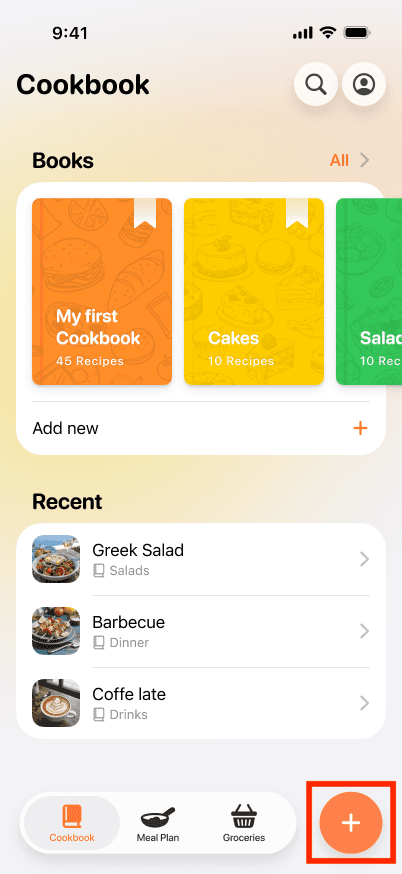
2. Tap on the + button at the bottom right.
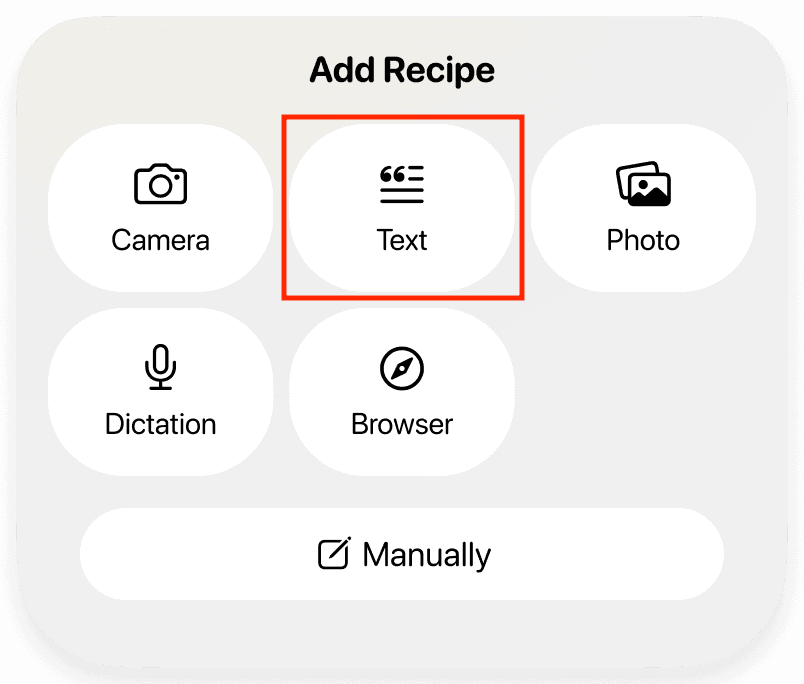
3. Select the Text option,
4. Paste or enter the recipe text into the input field. For best results, place each ingredient and instruction on a separate line.
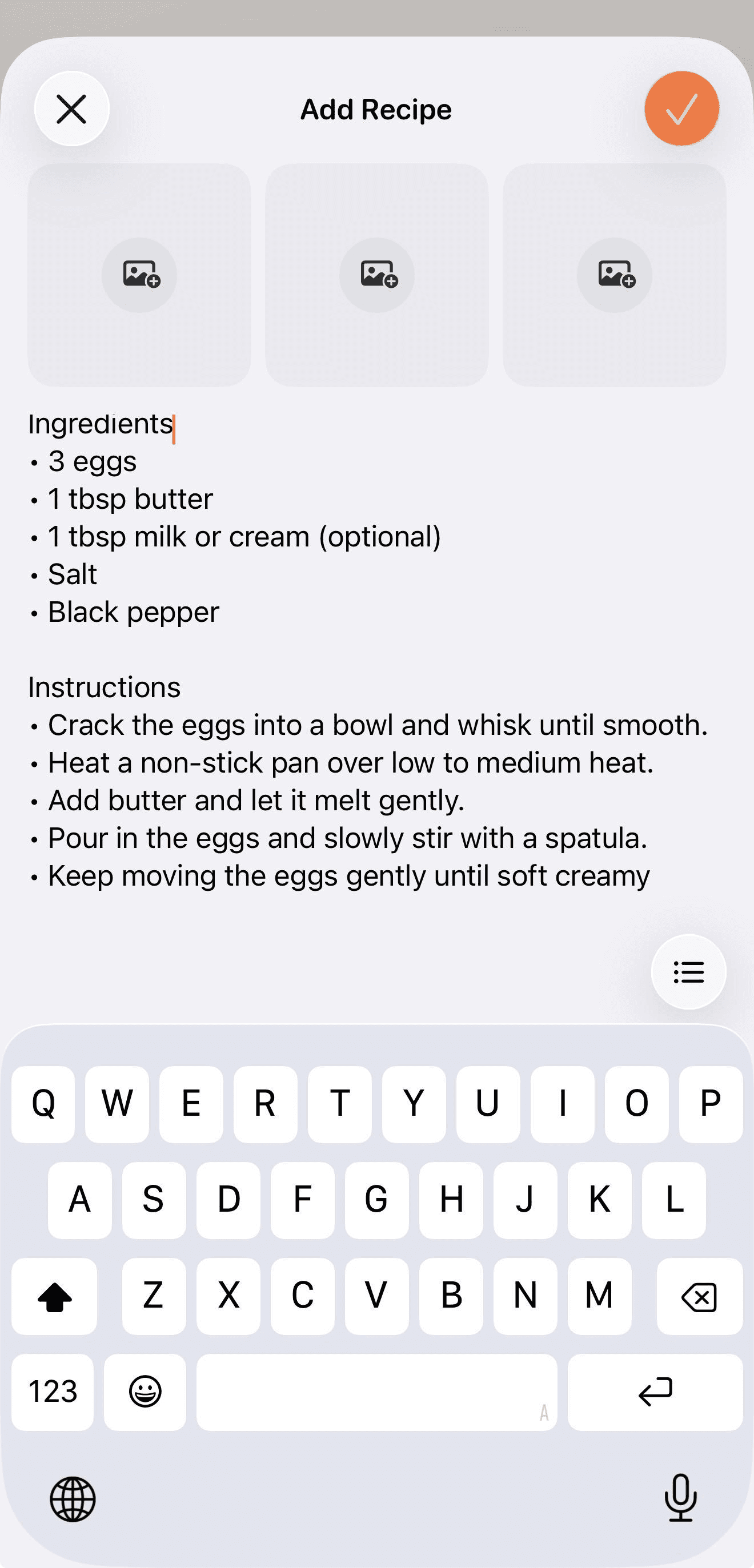
5. Add up to three images above the text if you want to include additional information.
6. Press the ✔️ button at the top of the page to proceed with the recipe.
7. The App will process the text and generate a structured recipe.